Section 6 RElyser
6.1 Interface
Input
Step 1: Enter a list of genomic regions (formatted aschr:start-endbased onGRCm38/mm10).Step 2: Use genomic proximity or enhancer-promoter datasets to identify linked genes.Step 3: Select from a list of supported ontologies.More Controls: Use additional parameters to fine-tune the steps described above.SUBMIT: click the SUBMIT button to execute the analysis.
Output
- Example Output includes interactive tables and high-quality figures for enrichment results. A summary of input data and the runtime (computed on the server side) is also provided for reference.
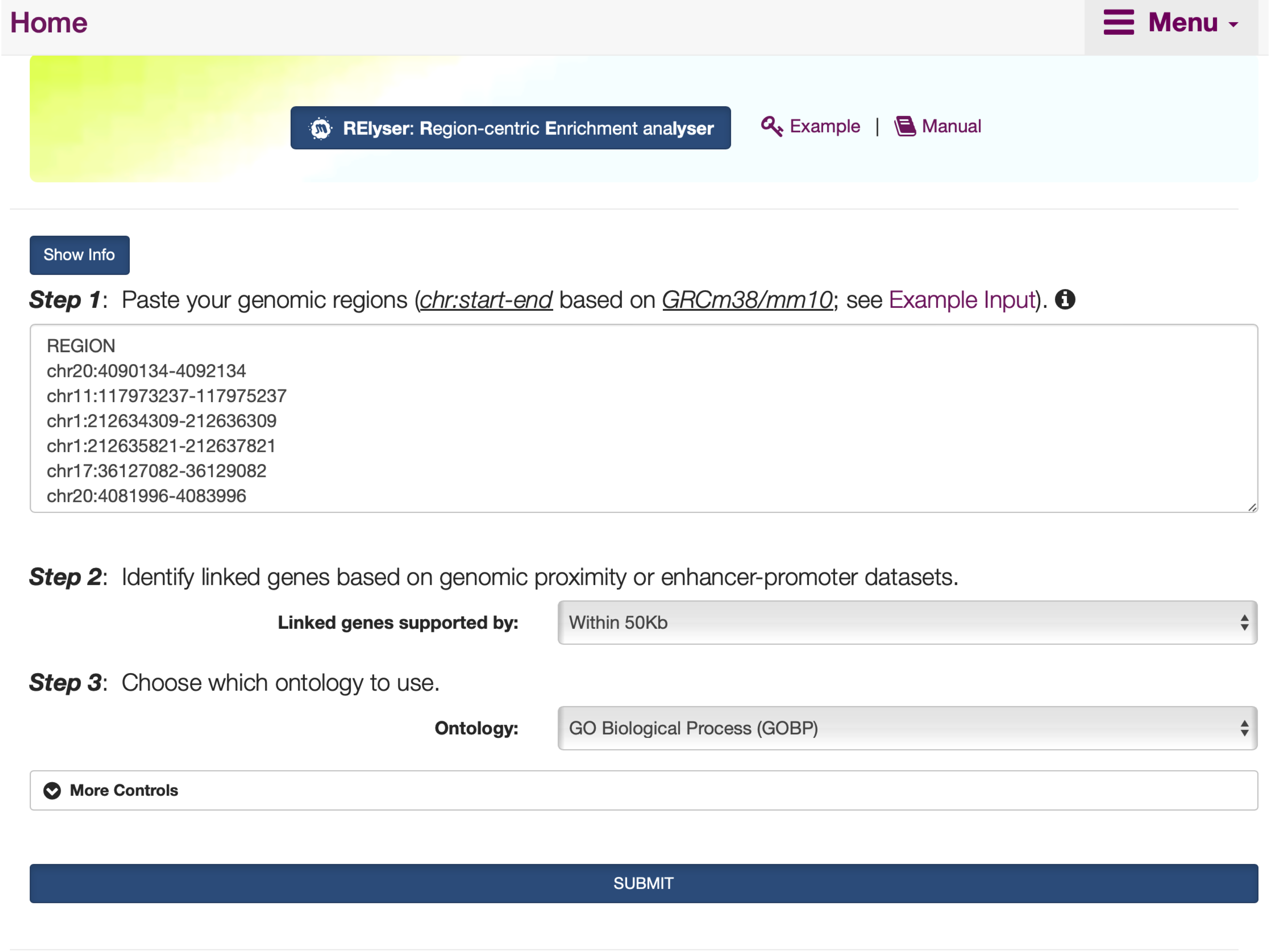
FIGURE 6.1: The interface of RElyser. The Show/Hide Info toggle button contains the instructions on how to use it, including inputs, outputs, and other relevant information.
6.2 Results
- Under the
Input: Region Informationtab,An interactive tablelists user-input genomic regions.
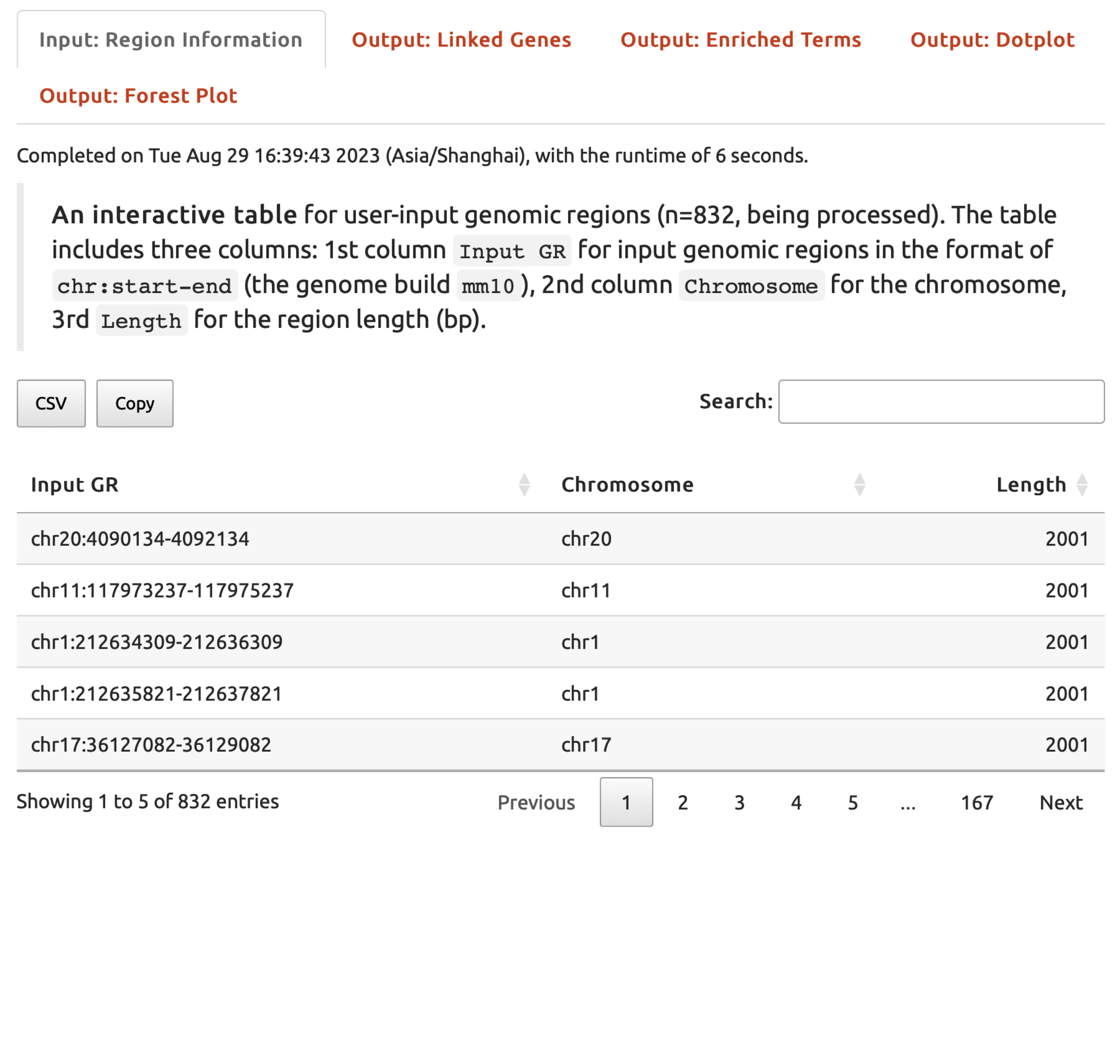
FIGURE 6.2: The user-input data displayed under the Input: Region Information tab for exploration.
- Under the
Output: Linked Genestab,An interactive tablelists genes linked from the input genomic regions.
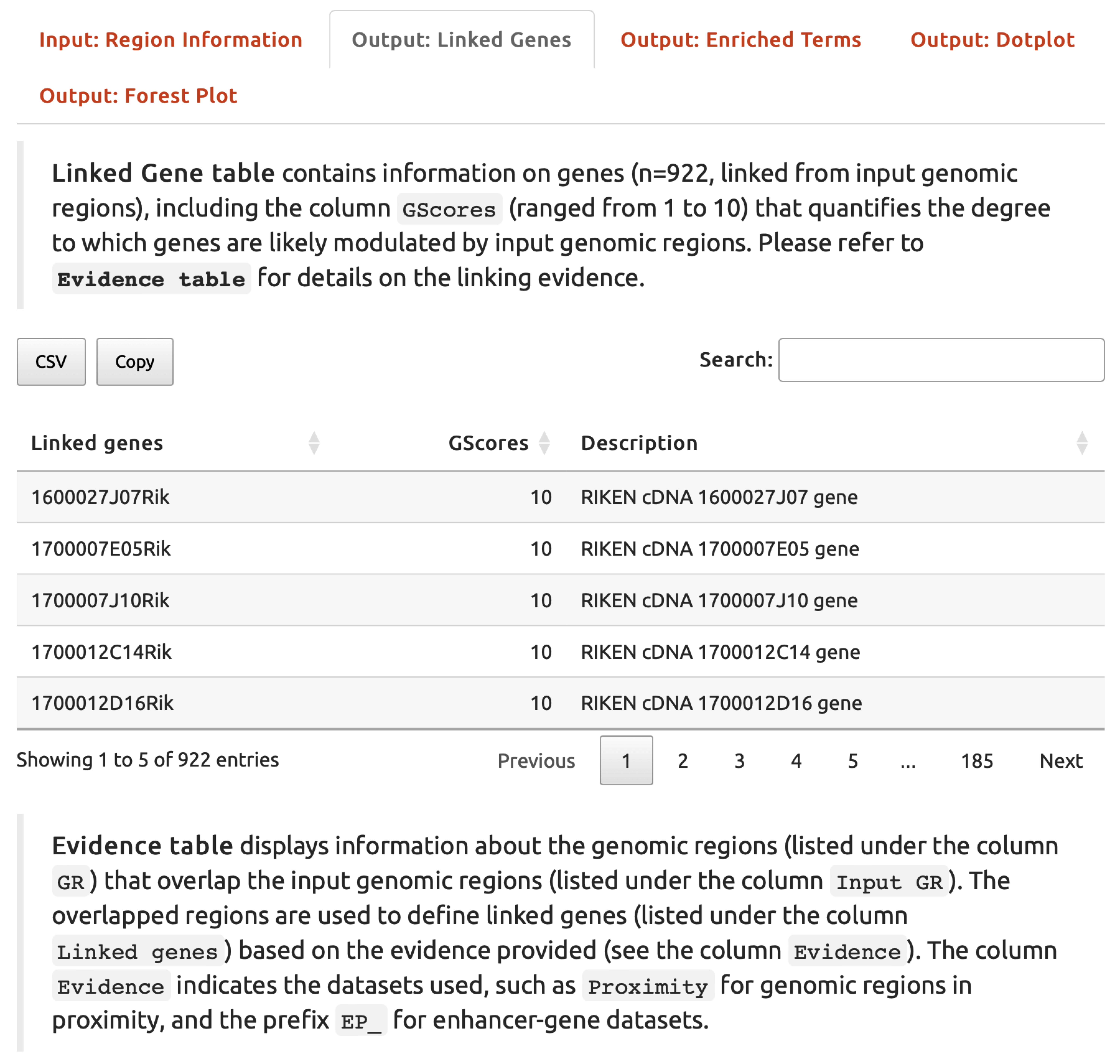
FIGURE 6.3: An interactive table listing genes linked from the input genomic regions under the Output: Linked Genes tab.
- Under the
Output: Enriched Termstab,An interactive tablelists enriched ontology terms.
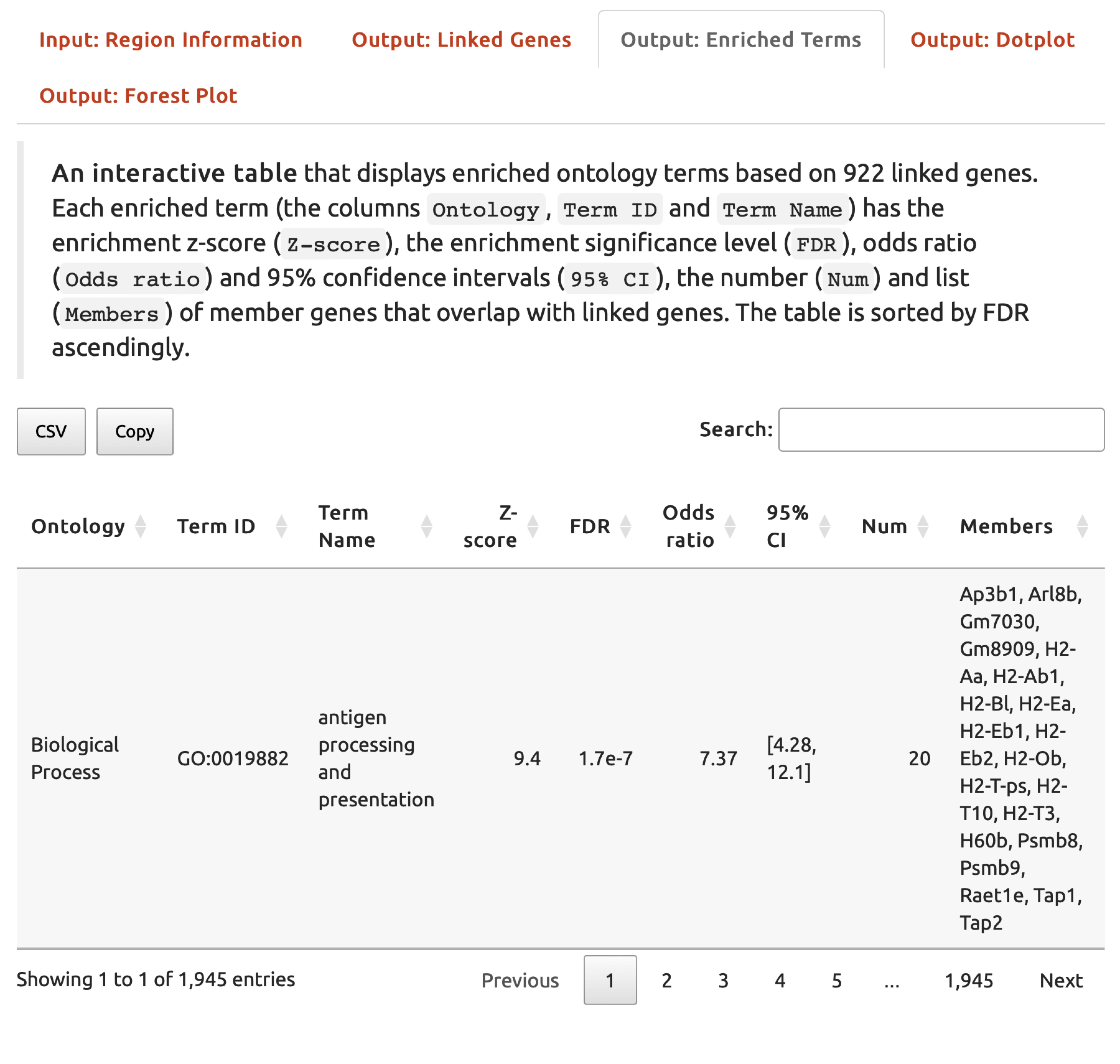
FIGURE 6.4: An interactive table listing enriched ontology terms displayed under the Output: Enriched Terms tab.
- Under the
Output: Dotplottab,A dotplotillustrates enriched ontology terms. A downloadable pdf file is also provided.

FIGURE 6.5: A dotplot illustrating enriched ontology terms displayed under the Output: Dotplot tab.
- Under the
Output: Forest Plottab,A forest plotillustrates enriched ontology terms. A downloadable pdf file is also provided.
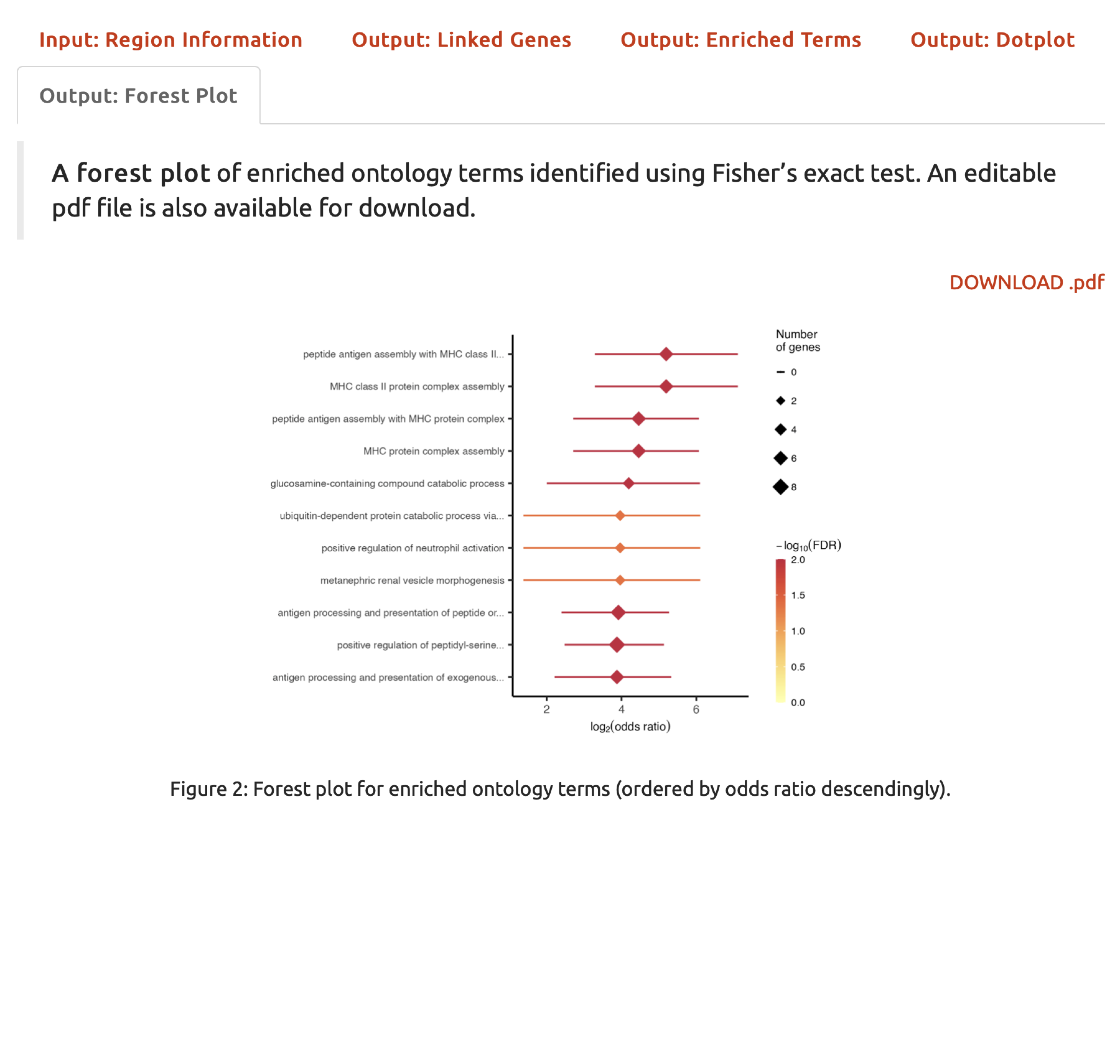
FIGURE 6.6: A forest plot illustrating enriched ontology terms displayed under the Output: Forest Plot tab.